Canvas, Catmail, Typhon and the rest: Ohio University's student systems
An Ohio University nursing student works across a small set of systems: an OHIO ID to get in, Catmail for official email, Canvas for courses, MyOHIO Student Center for registration and grades, DARS for degree progress, and Typhon for School of Nursing documents. The Nursing Knowledge Center links them together. Here is what each one does, and which of them carry your practicum.
Get your placement plan
Tell us your Ohio University program and where you live. A placement advisor replies with the preceptor and site options that fit your course.
Your OHIO ID, PID and Catmail
Everything starts with your OHIO ID. Ohio University's tech support page says you activate it "to access your University email account and your online course materials," using the activation link at account.ohio.edu/myid. The ID is the first letter of your first and last names followed by six numerals; it forms part of your student email address and counts as directory information.
Your PID is a different number: the letter P followed by nine numerals, a confidential student ID that offices use to look up your records. Keep it private and have it ready when you write to the School of Nursing or the Graduate College.
Catmail is Ohio University's email service. The Knowledge Center FAQ says the University "is required to correspond with students exclusively through their OHIO student email accounts" and strongly recommends turning off forwarding to a personal account. For a practicum student, that means messages about clinical paperwork arrive in Catmail, so treat it like your work inbox.
Canvas: where your courses run
"Canvas is the learning management system for Ohio University online courses," in the tech support page's words. Your practicum courses are online courses, so their course sites, syllabi and assignments sit there, along with whatever your faculty post about the clinical side of the course. When a question comes up about how hours are recorded or when evaluations are due, start with the syllabus in Canvas.
The RN-to-BSN uses Canvas for placement paperwork too. Before each clinical course, your advisor adds you to a "Pre-Clinical Canvas Course," where the Preceptor Agreement and other documents go up by a fixed deadline; the RN-to-BSN page sets out that timeline. One older NRSE 4600 page still says Blackboard, which is outdated wording rather than a second system.
MyOHIO Student Center, DARS and course search
MyOHIO Student Center covers the administrative side. The Knowledge Center points to it for dropping courses, viewing grades on the academic tab, checking a financial aid award on the Accounts tab, updating your address and finding refund dates through the calendar icon beside each class. The graduation application opens there on the first day of the term.
You will rarely register yourself. "Your School of Nursing academic advisor will register you for your courses each semester based on your program of study," the How to Register page says. What you can do is follow your progress in DARS, the Degree Audit Reporting System, which offers "a 'snapshot' of where you stand relative to graduation." The advising page is plain that watching that progress is your job.
Keep your address current, too. The provost's office sets your location for state licensure disclosures from the address on file, under University Policy 12.022, which matters if you move during the program; see the approved states page. For when courses run, the Course Offerings page links preset class searches next to the tentative table reproduced on the semester calendar page.
Typhon: School of Nursing documents
Typhon is the only clinical system Ohio University names on its public pages. The Graduate Knowledge Center describes it as the program graduate students use to upload the documents the School of Nursing asks for, both for program or track requirements and for clinical placements. The DNP FAQ warns of added costs for textbooks and Typhon, and the FNP FAQ asks students to set aside time to document clinical encounters.
Public detail ends there. No open page says outright that the clinical packet is submitted through Typhon, and the graduate Forms and Resources page, where clinical packets and overview sheets were once listed, now requires university sign-in. When you are unsure where a document belongs, ask graduatenursing@ohio.edu before the deadline rather than after. The Typhon page and the clinical packet page go further.
The Nursing Knowledge Center: the hub
The Knowledge Center divides into an RN to BSN Center and a Graduate Center, which Ohio University calls the place "where everything connects for enrolled graduate students." The graduate pages worth bookmarking:
- Important Dates: clinical packet deadlines, facility application deadlines, orientation and OCI dates, and drop and withdrawal rules
- Course Offerings: the class search plus the tentative term-by-term table
- On-Campus Intensives: what each Dublin visit involves
- Graduate Nursing Handbook: not posted, so request it from graduatenursing@ohio.edu
- Forms and Resources: now behind university sign-in
- How to Register, DARS and Grades, and Academic Advising
- Tech Support, Library Services, Financial Aid and Graduation
- Contact Us: graduatenursing@ohio.edu for graduate program questions, clinical placements and paperwork
The Graduate Center's home page also carries a professional licensure note: if your program leads to a license, contact the licensing agency in your home state before you begin. For a nurse practitioner student, that agency is the board that will later issue your APRN license.
Help desks, the library and accessibility
For trouble with your OHIO ID, Catmail or Canvas, the tech support page sends you to the IT Service Desk at help.ohio.edu, part of the Office of Information Technology. Support hours vary through the year, and status.ohio.edu shows whether a system is down. The Go OHIO app, Ohio University's official app, puts Student Center, class schedules, calendars, Canvas and Catmail on your phone.
Alden Library runs a guide for online nursing students, Online Nursing Programs (RN-BSN, MSN, DNP), at libguides.library.ohio.edu/rn-bsn. It covers CINAHL, full-text access, UpToDate, PubMed searching, evidence-based practice, quality improvement, APA and Zotero, with a tab for NRSE 7811. A health sciences subject librarian is assigned, and the Graduate Writing & Research Center helps with major writing projects, research methods and statistics.
Accessibility services go by two names: the nursing contact page says Student Accessibility Services, and the office calls itself the Office for Accessibility Services, where coordinators review documentation under the Americans with Disabilities Act framework. No public page covers accommodations in clinical settings, so if you need one for a practicum, raise it well before the term.
Where your practicum work lives
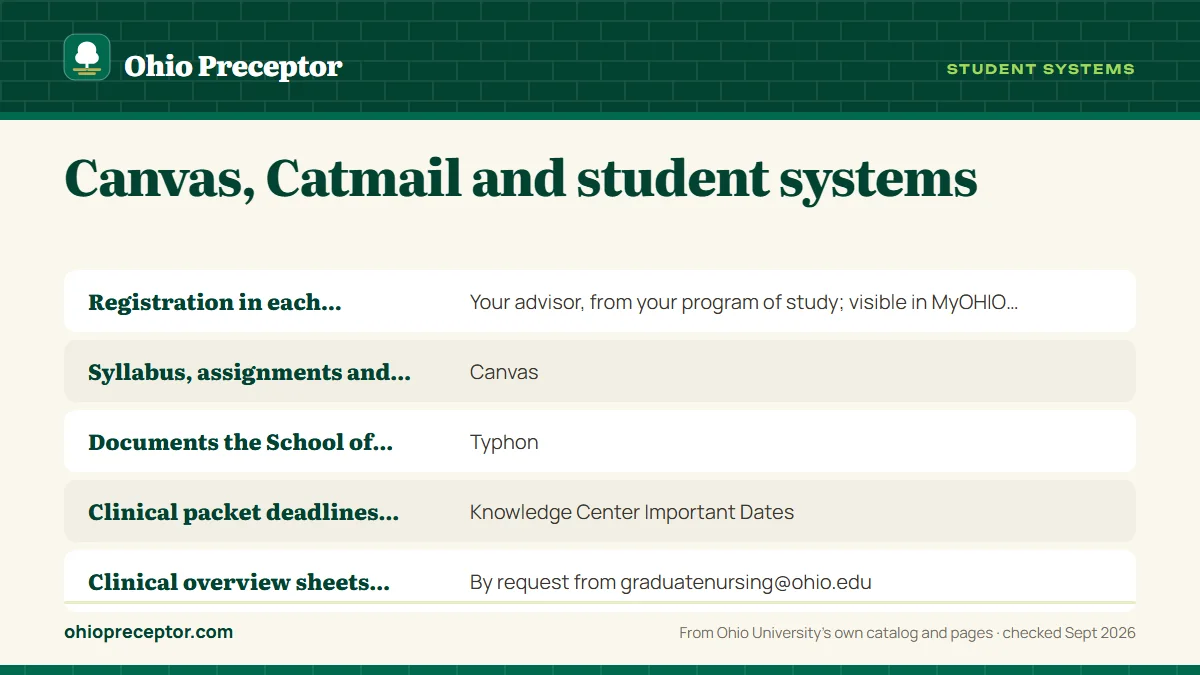
| Task | Where it happens |
|---|---|
| Registration in each practicum | Your advisor, from your program of study; visible in MyOHIO Student Center |
| Syllabus, assignments and course announcements | Canvas |
| Documents the School of Nursing asks you to upload | Typhon |
| Clinical packet deadlines and OCI dates | Knowledge Center Important Dates |
| Clinical overview sheets, preceptor packet and handbook | By request from graduatenursing@ohio.edu |
| Official School and University messages | Catmail |
| Grades, drops and withdrawals | MyOHIO Student Center |
| Progress toward graduation | DARS |
| Hospital system student applications | Each system's own process; see hospital system applications |
Our work fits straight into this map. Your placement advisor locates a preceptor and clinical site matched to your course, then organizes the preceptor's credentials, license and site details the way your packet needs them, ready for whatever the School of Nursing asks you to upload. We watch hospital application windows alongside your Important Dates, so no date slips past. Ohio University faculty make the approval decision, and the file they receive is complete. Start with the form below.
Questions Ohio University students ask
Does Ohio University use CastleBranch, Exxat or ACEMAPP for nursing clinicals?
Ohio University's public nursing pages name only Typhon and Canvas, and no compliance vendor. Some hospital systems run their own platforms: Cleveland Clinic's graduate student page, for example, sends applications through ACEMAPP. That is the hospital's tool rather than Ohio University's, so treat it as a separate step with its own instructions.
Where do I get the Graduate Nursing Student Handbook?
It is not posted online. The Knowledge Center says the handbook is provided on admission and that you can request a copy from graduatenursing@ohio.edu, and you sign a form at orientation saying you have read it. Keep it within reach: the grading policy and the health requirements for clinicals both live in it.
Who do I contact if Canvas fails right before a deadline?
Reach the IT Service Desk at help.ohio.edu and check status.ohio.edu to see whether the outage is campus-wide. Tell your course faculty at the same time, from Catmail, so there is a dated record. For paperwork tied to your placement rather than the course, write to graduatenursing@ohio.edu.
Where are the preceptor forms for my practicum?
Ohio University's PMHNP certificate page tells current APRNs to request "the clinical overview sheets and preceptor packet for their program" from graduatenursing@ohio.edu, and that inbox handles clinical placement and paperwork questions for every graduate program. Per-course clinical packets were listed on the Forms and Resources page, which now requires university sign-in. The clinical packet page explains the contents.
Related pages
Last checked 2026-09-24
We check these pages against Ohio University's own catalog, program pages and Nursing Knowledge Center. Your syllabus, the Graduate Nursing Student Handbook and your faculty have the final word.
Ohio University lets you choose your preceptor. We find the right one.
Tell us your Ohio University program, your community and your next clinical course. We find preceptors who fit the course and prepare what faculty review before they approve them.
- Preceptors matched to the course: primary care for the FNP
NRSE 6840sequence, acute care for AG-ACNP, psychiatric care for PMHNP - Your clinical packet details ready ahead of Ohio University's packet deadline
- Close to home, in Ohio or in any state where Ohio University admits graduate nurses
Start your placement plan
Program, city and clinical start is all we need to begin.